
Maintain owners and units
The Community section separates owner contact records from unit details. Review both when information changes.
Find an existing record
Section titled “Find an existing record”- Open Community → Owners or Community → Units.
- Search the grid for the owner or unit.
- Select the record to open its form and review the details.
- Save the form when changes are ready, then confirm the updated record in the list. Use Cancel to leave without saving.
The Owners list includes unit details and AR account columns. Those displayed columns do not mean every value can be edited in the owner form.
Add an owner
Section titled “Add an owner”Choose New on the Owners page. Complete Owner Name, then the relevant short name, contact details, address, status, and ownership dates. Select the appropriate AR Account and add notes where useful. Review the form and choose Add Owner.
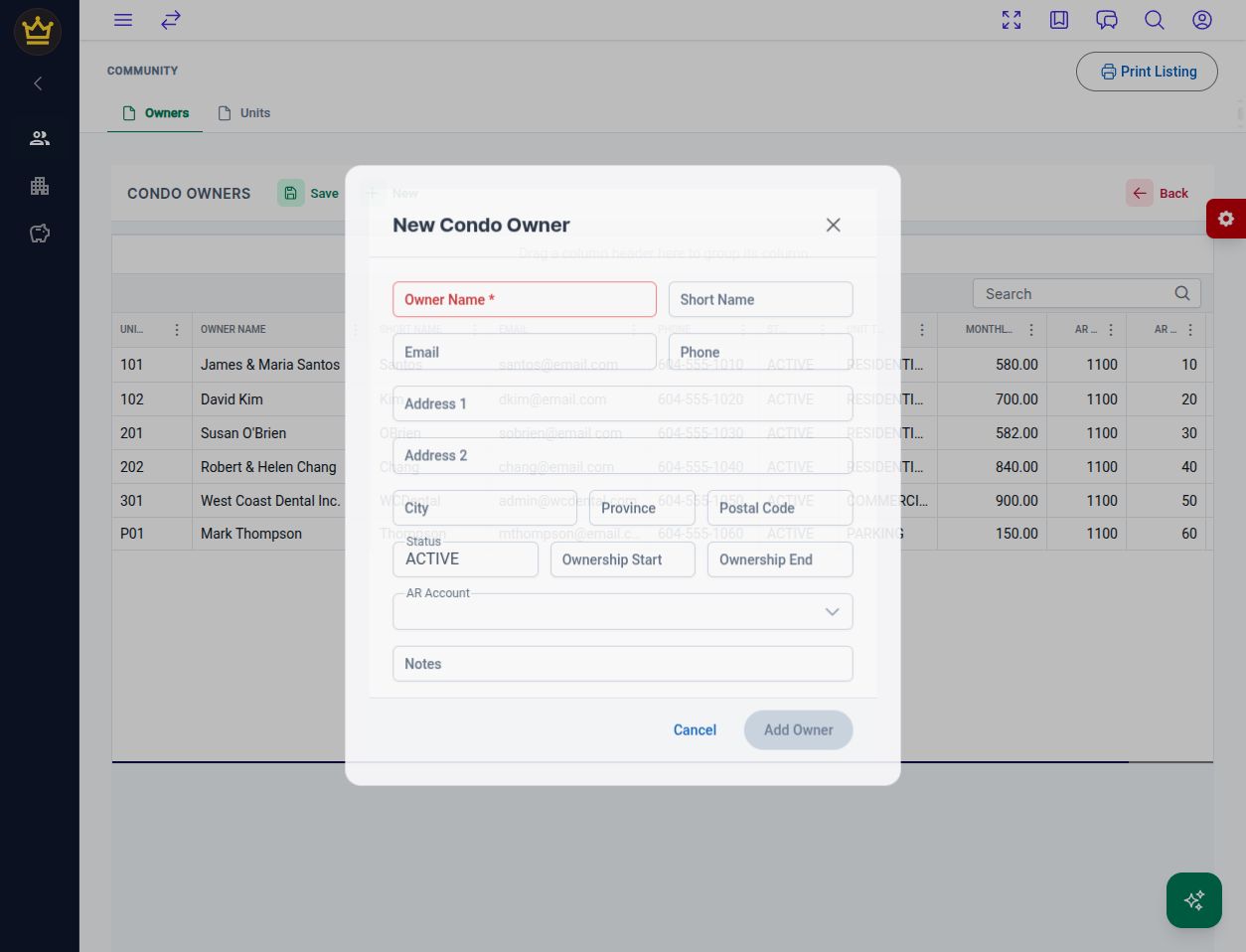
The owner form before entering any information.
Add a unit
Section titled “Add a unit”Choose New on the Units page. Enter Unit Number, select Type, and review Floor, Square Footage, Ownership Fraction, and Monthly Fee. Choose Add Unit, then confirm the record appears with the intended details.
Use the approved unit and fee information. Creating these records does not itself establish that a charge has been billed or a payment received. The owner form has no unit-assignment field; verify the displayed owner–unit relationship separately if it is missing or incorrect.
Check the result
Section titled “Check the result”Compare the owner, unit, and AR details in both lists. Print Listing is available for a review copy. For balances and payment follow-up, continue to receivables aging.
v1.1.5 (8e20c95)